Story
Home Lab Progression
The story is the primary artifact. The images support it, but the real progression is the practical judgment built through hands-on learning, failure, rebuilding, documentation, and security-focused iteration.
My home lab started before I fully understood that it was a home lab. In 1997, while I was still in high school and working for a small technology company, I built my first real Microsoft network at home around a Windows NT 4.0 domain controller. I ran Category 5 Ethernet cable, learned how to terminate it properly, and began wiring the house as if it were a small office.
One of the outside influences that kept me moving in this direction was Scott Morris. His home lab became a kind of proof point for me: serious network people built serious environments, even at home, because repetition, failure, and hands-on access mattered. I was not trying to copy his lab, but seeing the scale and commitment behind it pushed me to keep investing in my own.
That early environment included Windows 95 desktops and a Windows 98 beta system, then still tied to the Memphis development cycle. I experimented with domain logons, desktop policy behavior, and registry changes on Windows 9x clients. At one point I modified the Windows desktops so that the NT server effectively had to be online before anyone could log in. Then I broke the NT 4.0 server.
That turned the lab into a production outage for my parents.
Both of their computers were suddenly dependent on a domain controller that no longer worked, and I had to learn under pressure how to bypass the restriction, undo the registry changes, and remove the machines from the domain. It was an early lesson that stayed with me: central authentication is powerful, but bad identity design can turn a single failed server into a household-wide incident.
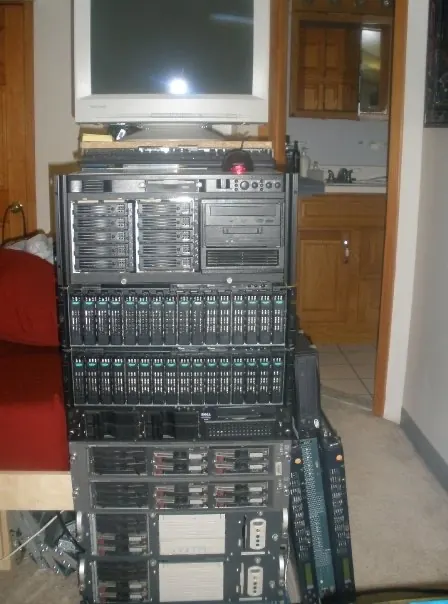
Around 1998, I acquired six decommissioned 3Com switches from a trading firm and added them to the lab. I was slowly building something that looked less like a bedroom network and more like a small wiring closet. At the time, I did not understand the airflow requirements of enterprise network equipment. I installed the switches in the closest thing I had to a rack, which was an old stereo cabinet, and stacked them directly on top of one another.
They did not appreciate that. Those switches were designed with side-to-side airflow, not for being packed into a wooden cabinet with no real ventilation. Before long, they overheated, became unstable, and started failing. That mistake taught me that infrastructure is not just configuration. Power, cooling, cabling, mounting, serviceability, and physical layout all matter.
In 1999, I started working as a system administrator in an environment that looked very similar to what I had been building at home: Dell server hardware, Windows NT 4.0, Windows desktops, and small-business infrastructure that needed to work every day. I brought home decommissioned PCs, expanded the lab significantly, purchased an Intel server, and used it to run the Windows 2000 Server beta.
At the same time, I ran Windows 2000 Professional beta builds on my own workstation while the rest of the household moved through the late Windows 9x era, including Windows 98 and Windows Me. That period gave me hands-on exposure to the transition from the consumer Windows line to the NT-based platform that would become the long-term direction for Microsoft desktops and servers.
By the early 2000s, my focus shifted heavily toward Cisco networking. In preparation for a new position that used Cisco equipment, I bought Cisco PIX firewalls, a Catalyst 3500XL 24-port switch, and multiple Catalyst 2900-series 24-port switches. This was the point where the lab moved from old PCs and a server into a real routed and switched network environment.
I was no longer just learning operating systems. I was learning VLANs, trunking, access control, firewall policy, NAT, routing behavior, and the operational mindset that comes with managing network infrastructure instead of isolated machines.
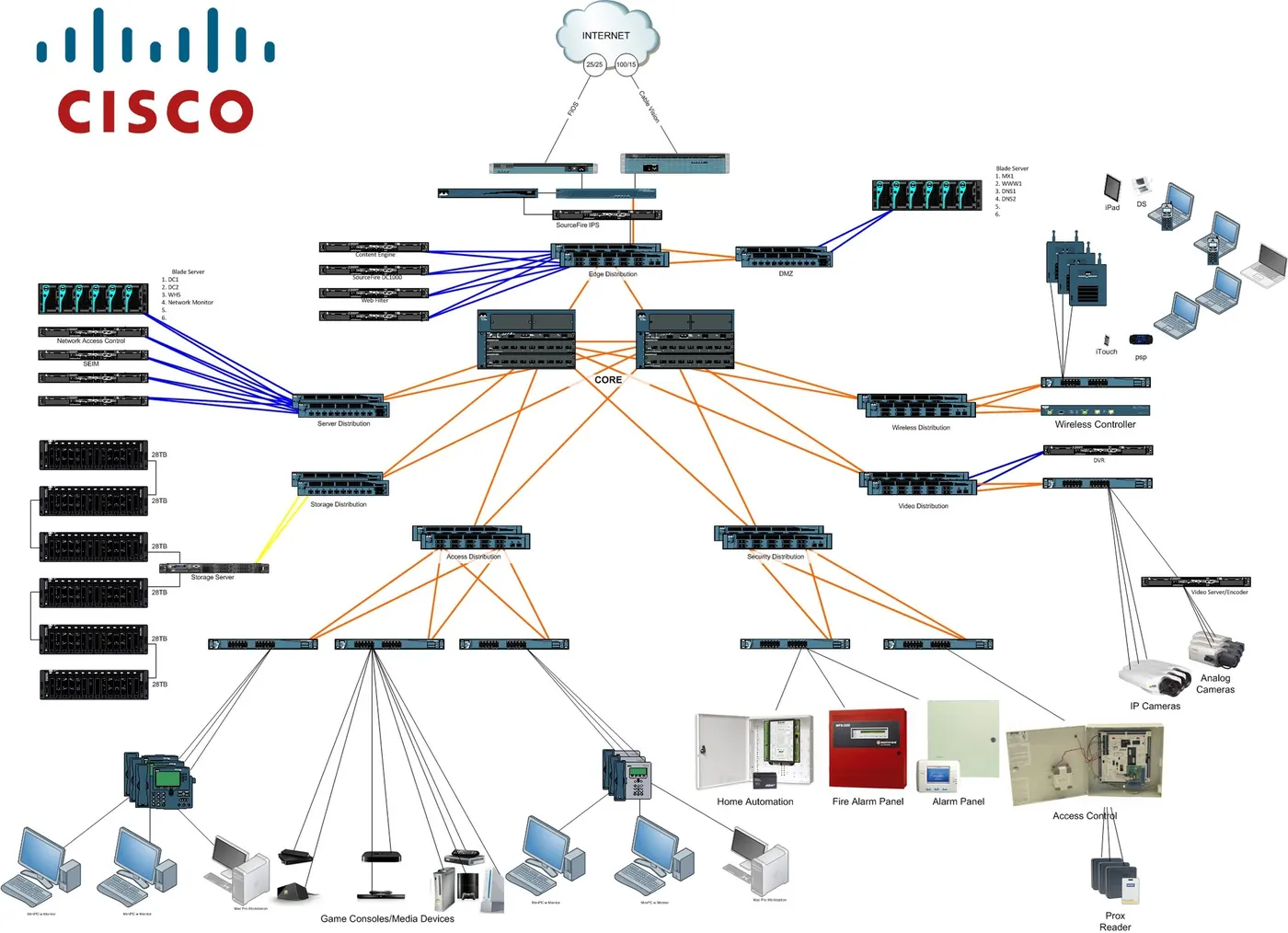
Documentation became part of that practice. I spent a lot of time drawing and refining network diagrams, not just as presentation artifacts, but as a way to reason about the environment. Some of those diagrams were submitted to the old RateMyNetworkDiagram.com community, where they were highly rated for years and, at times, held the top position. One of them was later included by TechRepublic in a gallery of highly rated network diagrams from IT professionals.
Around the mid-2000s, I moved into a senior network and systems role at Richmond Hill High School. That environment exposed me to a much larger Cisco network, DS3 connectivity, fiber-optic cabling, campus switching, routing, and the kind of infrastructure that had to support real users at real scale. I responded the same way I always had: I tried to build a version of it at home so I could understand it more deeply.
I went back to eBay and started buying older Cisco enterprise equipment. I added Catalyst 5505 chassis switches, upgraded them with fiber modules, and experimented with supervisor and line-card combinations. I added a Cisco Cache Engine, Cisco IDS/IPS equipment, and additional Catalyst switches as the lab grew. Later, as the Catalyst 3560 generation became available on the used market, I added those as well for certification training and more modern switching practice.
The goal was not to collect hardware. The goal was to recreate enough of a real enterprise network that I could break things, fix them, test designs, and understand failure modes without experimenting on production systems.
Later, when I moved into a university environment, I was exposed to another level of network architecture and lifecycle management. The university was replacing older Cisco 3600- and 3700-series routers with newer 1800-series routers, and I was allowed to add some of the retired routers to my lab. I also purchased Cisco Catalyst 4506 chassis switches to continue building out a more complete enterprise-style environment.
At its largest, the lab was extensive: routers, chassis switches, fixed-configuration switches, PIX firewalls, IDS/IPS systems, fiber modules, servers, storage, and enough cabling to make the room feel like a small network operations closet. It was not a toy environment. It was a practical training ground for routing, switching, firewalls, segmentation, redundancy, monitoring, and troubleshooting.
It was also loud, hot, power-hungry, and physically demanding to maintain.
As network simulation matured, tools like GNS3 and Cisco VIRL, later Cisco Modeling Labs / CML, changed what a serious lab needed to look like. I no longer needed racks of aging hardware to model every topology. I could virtualize much of the routing and switching practice, preserve the learning value, and reduce the physical footprint.
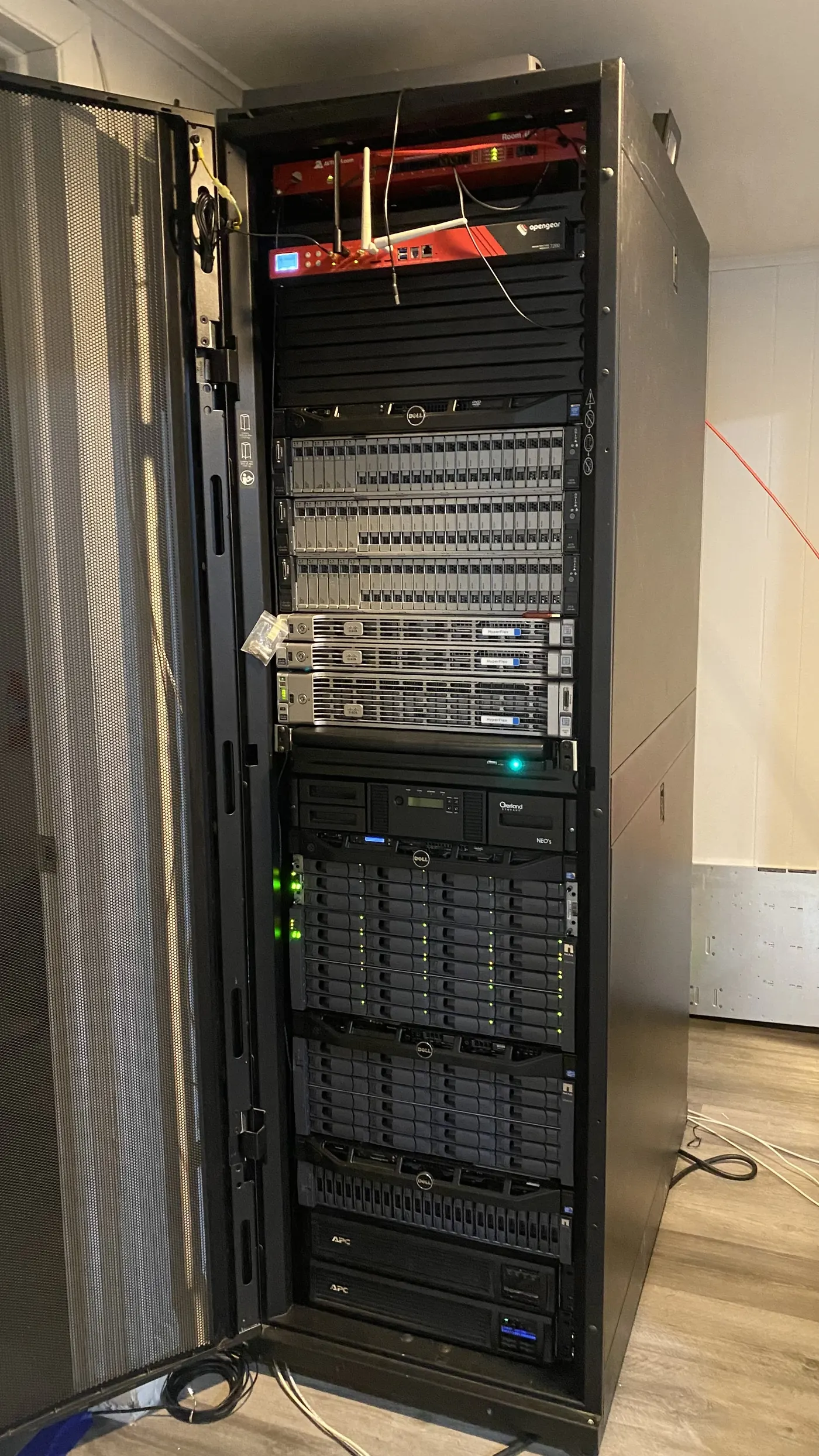
That shift allowed me to downsize the lab to a more focused environment built around servers, virtualization, and storage. Today, my home lab is centered on VMware hosts, vCenter, development web servers, domain controllers, DNS servers, honeypots, and a small security lab. The modern lab is less about collecting hardware and more about testing architecture, visibility, segmentation, telemetry, and defensive security concepts.
The through-line has not changed. The lab has always existed to turn curiosity into operational skill. It started with an NT 4.0 domain controller that locked my parents out of their computers, grew into a Cisco-heavy enterprise training environment, and eventually evolved into a virtualization and security research platform. It reflects how I learned infrastructure: by building it, breaking it, repairing it, documenting the lesson, and carrying that lesson forward into security architecture thinking.
Progression
Not a collection. A working timeline.
NT, Ethernet, and early identity lessons
Windows NT 4.0, Windows 9x clients, Category 5 cabling, domain logons, registry experiments, and the first painful lesson in dependency design.
Routed and switched Cisco practice
PIX firewalls, Catalyst switches, VLANs, trunks, NAT, access control, routing behavior, and CCNP-focused practice racks.
Enterprise-style scale at home
Chassis switches, fiber modules, IDS/IPS equipment, storage, servers, topology planning, redundancy, monitoring, and real troubleshooting practice.
Virtualization, telemetry, and security research
VMware, vCenter, development servers, domain controllers, DNS, honeypots, small security lab work, segmentation, visibility, and defensive research.